Troop Stacking, Epic monsters & Citadel Siege Tools for Total Battle
Citadel walls
Enter a wall count, then pick catapult tiers on the
Catapults tab. Recommended counts and volley appear
on each card.
Epic target
Selecting a preset fills these editable values. For event or
temporary epics, adjust the layer stats here. Feature % is vs the
type that layer counters (Flying→Melee→Mounted→Ranged→Flying).
Epic Details
Siege Details
Shared modifiers that affect calculations across tabs. Unit
cards already include active city bonuses; uncheck dragon when
the target does not allow it in the march.
Uncheck for targets where dragon cannot join.
Recommended: select your highest
catapult tier — you get the exact number needed to break all walls
(total wall HP ÷ strike per catapult, rounded up).
Multiple tiers: uses the same
damage per tier as epic march stacking (shared
volley goal). That coordinated mix can use more catapults than a
single tier alone.
Epic Summary
Select units from the detail view to see your stack summary.
Siege Summary
Select catapult tiers and enter a wall count.
Import preset
Paste a share code (starts with a2r-preset:). It is
saved as a new preset whose name begins with
Imported:.
Copy share code
Clipboard access was not available. Select the text below and
copy it manually (Ctrl+C / Cmd+C).
A2R Toolbox — Help
Quick Start
A2R Toolbox helps plan two jobs: Epic marches with balanced
troop stacks, and Citadel siege volleys with catapults. Enter
your capacity, bonuses, and target, then pick units in Detail
view. Use the floating button to switch between Detail and
Summary.
The screenshots below follow the same order a player would use
the app.
Troop Stacking
Troop stacking means sending several unit tiers together instead
of only your strongest tier. The app balances selected units so
each stack aims for similar effective damage. This helps spread
losses, reduce retraining cost, and make repeated epic attacks
more consistent.
Epic March Steps
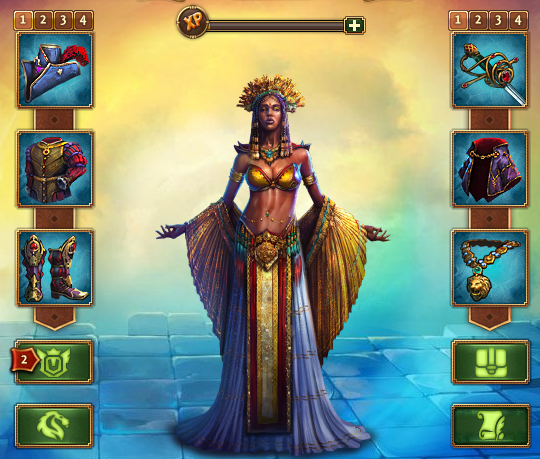
Prepare your Hero and ensure you remove any equipment that
might alter unit statistics.
As shown above, economy armor doesn't affect unit stats,
so it doesn't need to be removed.
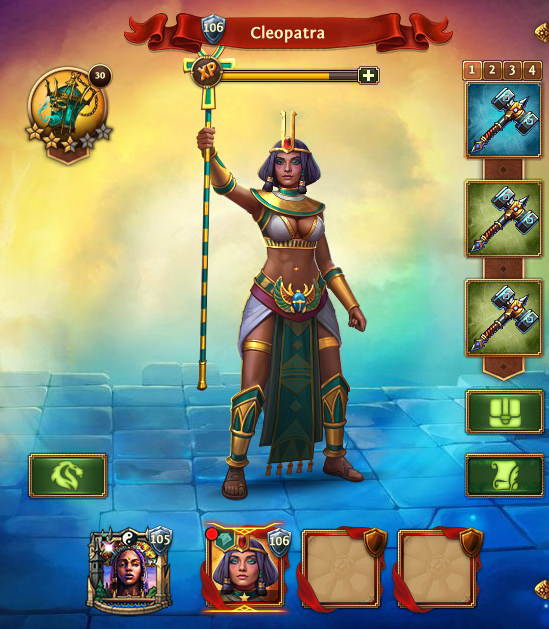
Remove any Captains you aren't using for the attack. Their
passive presence in the city can alter unit stats and cause
calculation errors.
Remove Captains that are not joining the march.
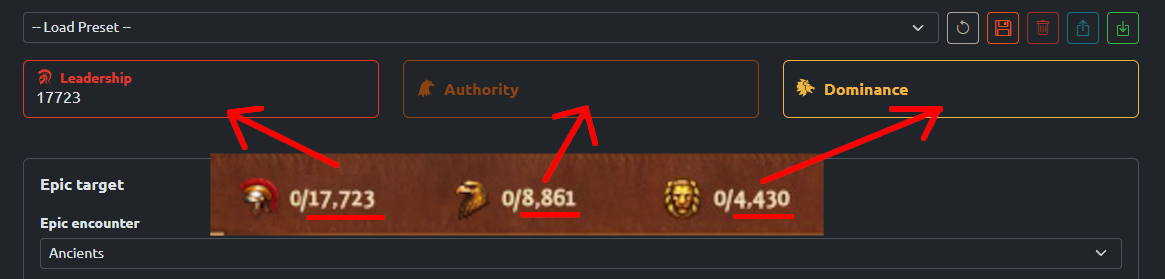
Enter your Leadership. Include
Dominance and/or Authority
thresholds if you plan to deploy Monsters or Mercenaries.
Leadership sets the main capacity for Guardsmen,
Specialists, and Catapults.
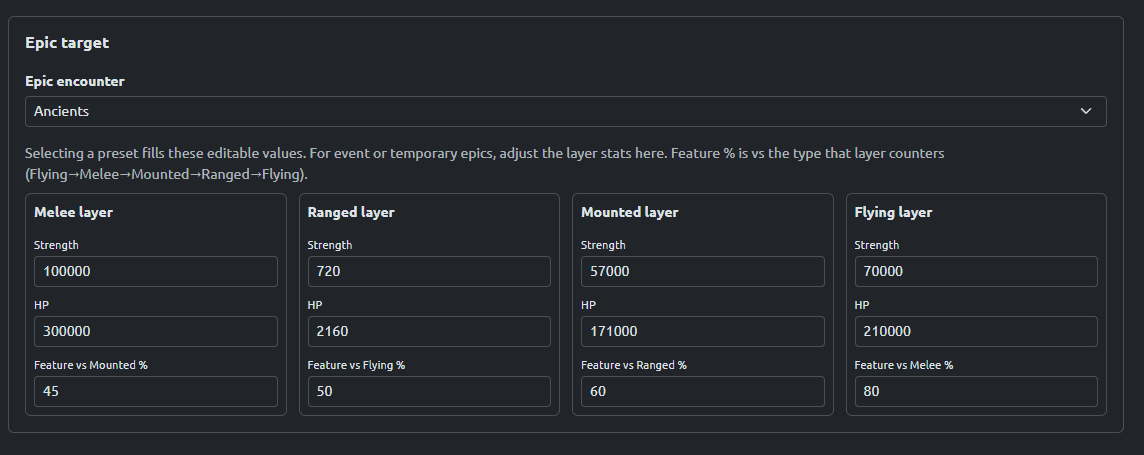
Select the Epic type you want to fight from
the dropdown menu. If your specific target isn't listed (such
as seasonal kingdom or special event targets), you can enter
its stats manually.
Tip: some non-standard epic monsters reuse the same stats as
standard epics, so check the dropdown first before typing
custom values.
Selecting a preset fills the editable layer stats.
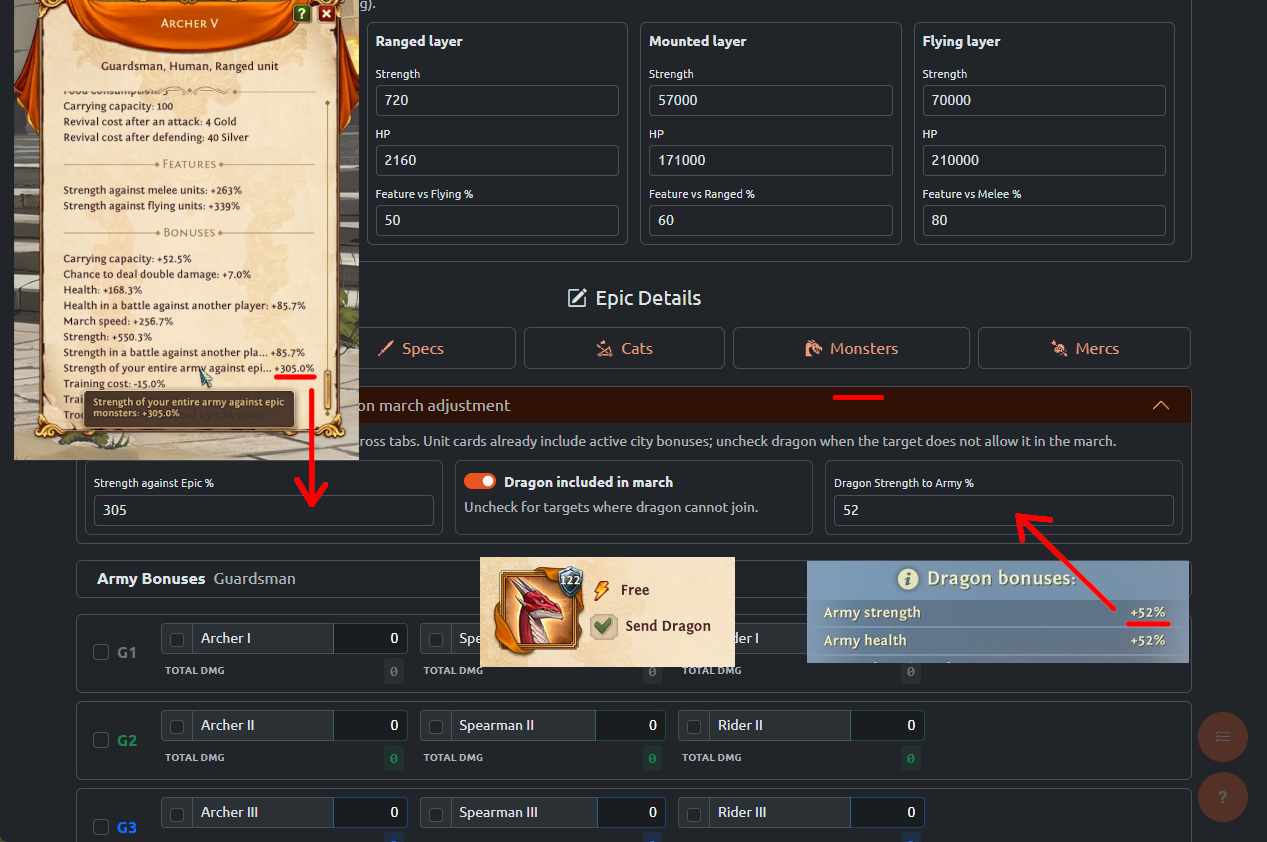
Configure your Global Modifiers for shared stat increases.
This includes your account's total Strength vs Epics % (from
artifacts like the Ghostflame Lantern) and your Dragon
Strength to Army %.
Enter your full Dragon Strength here even if the dragon
cannot join the march;
The engine will automatically remove it from the final
calculation if you uncheck the Dragon included box.
Global Modifiers apply across unit tabs.
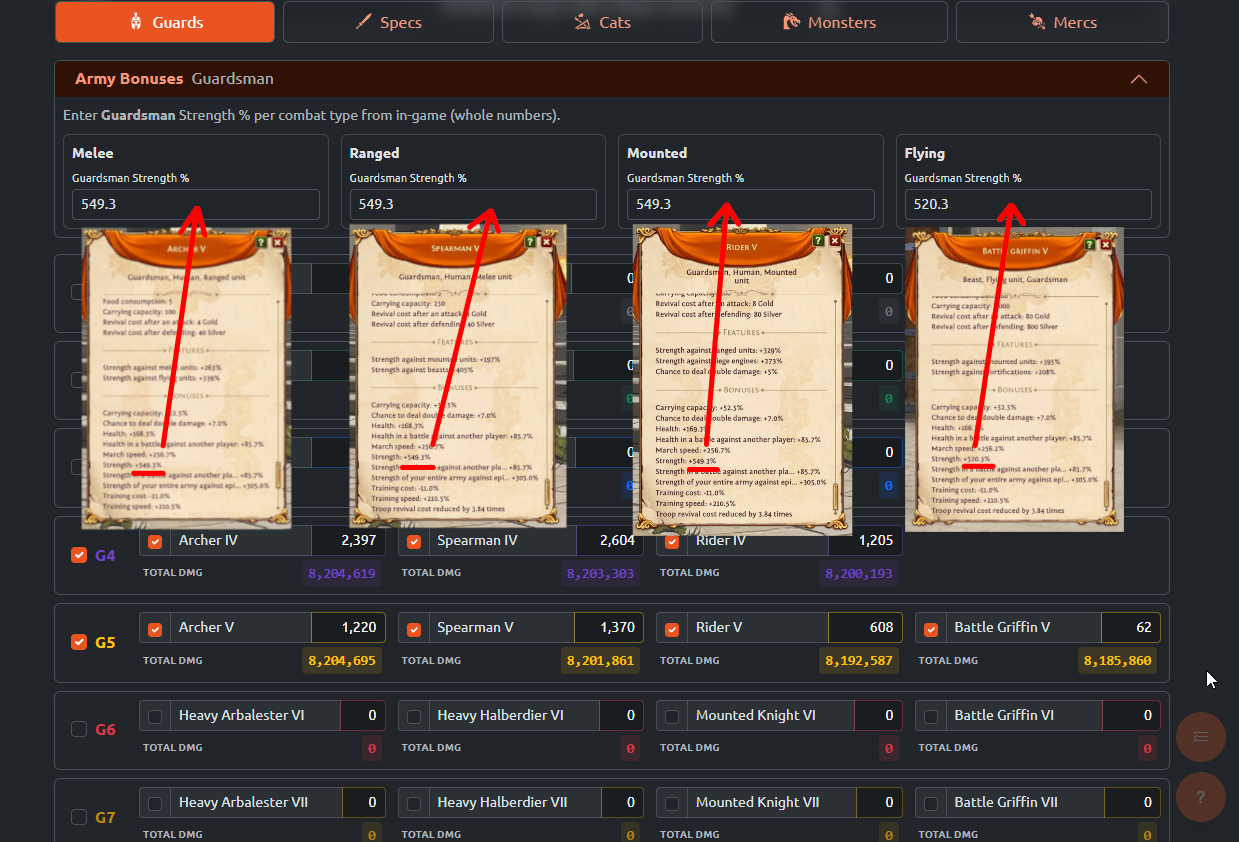
Select the units you want to include in your stack, then open
the Army Bonuses accordion for that tab.
Input the total Strength % value found on your in-game
unit's statistics screen.
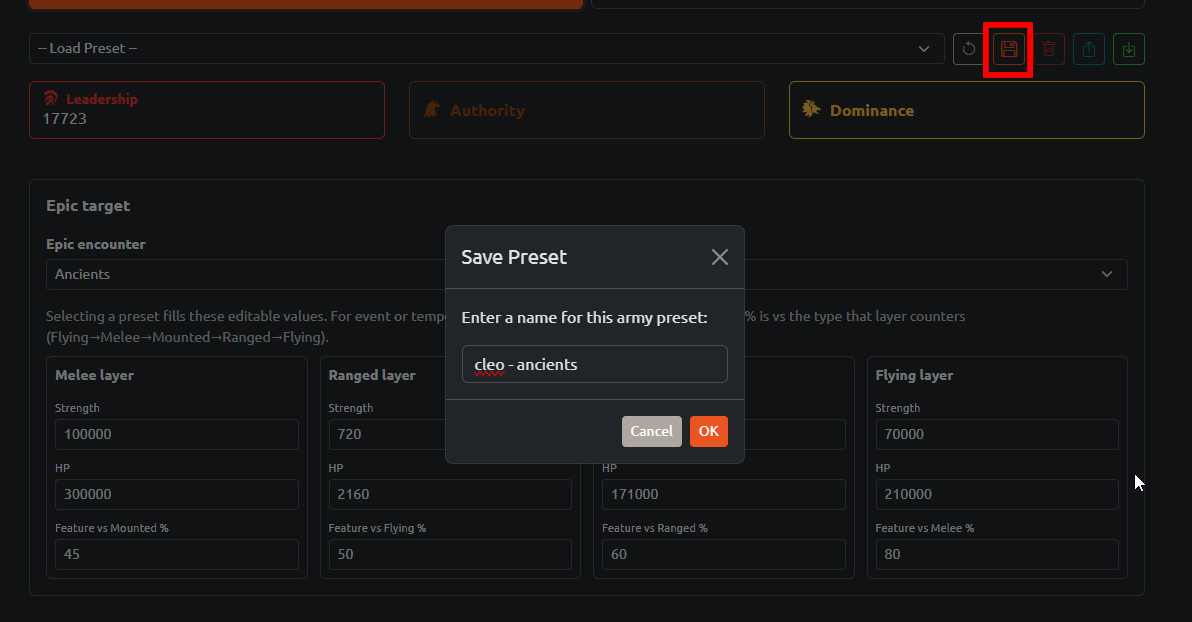
Save your configuration as a preset using a descriptive name.
This allows you to instantly reload your exact troop
selections and modifiers before repeated attacks.
Presets keep your selected units, stats, bonuses, and epic
target.
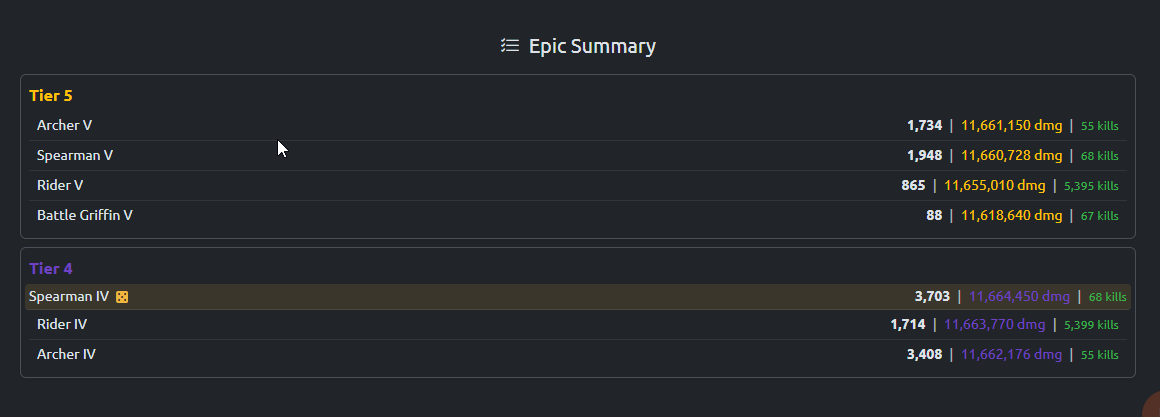
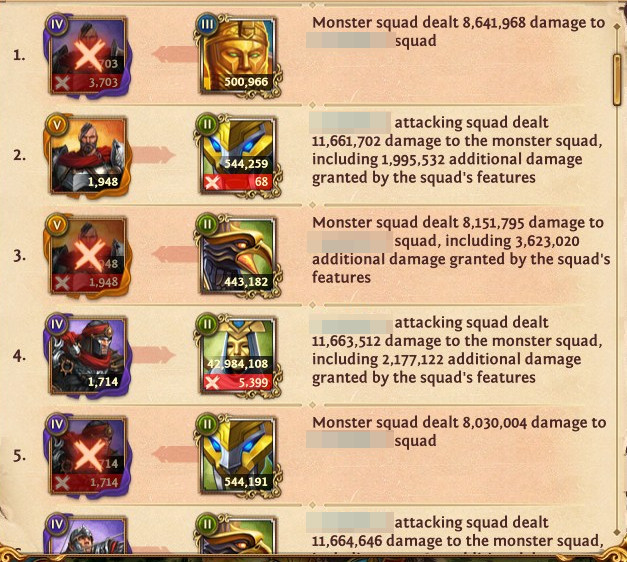
Verified Accuracy: You don't need to manually
calculate anything — the engine handles it all. Below is a
real-world comparison proving how closely the app's optimized
distribution matches actual results.
App estimate.Actual In-game result.
Citadel Siege Steps
Set up your Hero using the same guidelines as Epic marches
(remove combat gear that modifies troop stats).
Tip: Global Strength vs Epics % modifiers are automatically
ignored by the engine in Citadel Mode.
Only remove gear that modifies troop stats.
Select Citadel siege from the top toggle,
then enter the total number of defense walls you need to
break.
Specify the exact number of walls you need to break.
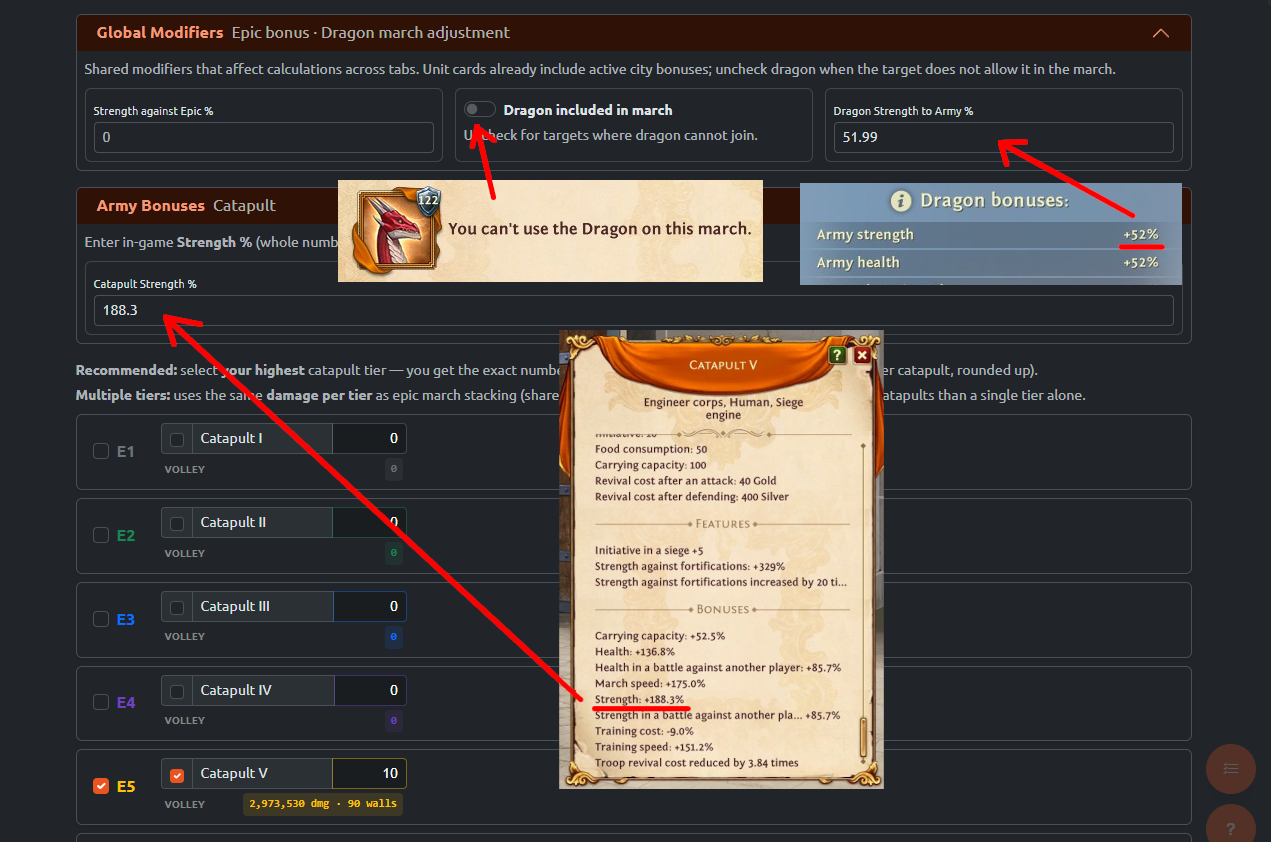
Configure your Global Modifiers.
Enter your full Dragon Strength % here even if it is
not joining the current march. The engine will automatically ignore Epic multipliers and
calculate your raw Citadel siege stats
Global modifiers apply across tabs. Strength vs Epics is
automatically omitted.
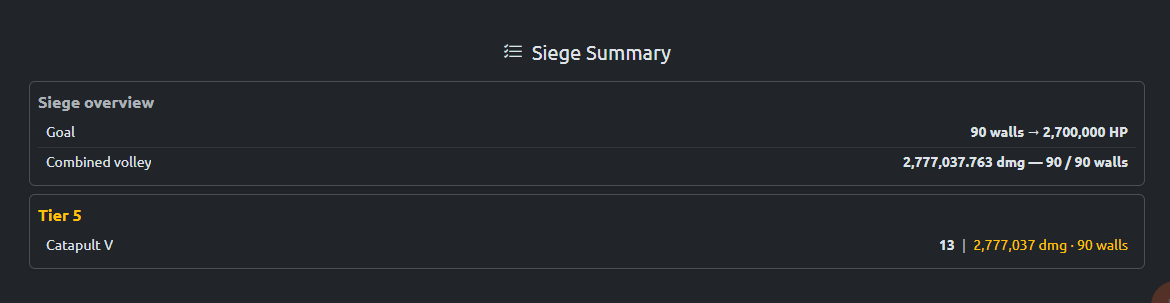
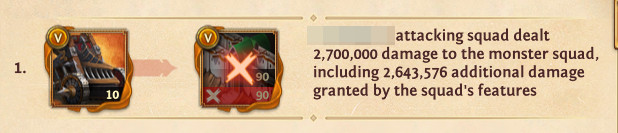
Compare the app estimates with the actual in-game results.
App estimate.Actual In-game result.
Bonuses
Global Modifiers Shared across all unit tabs.
This includes your Strength against Epic %, the Dragon
included in march toggle, and your Dragon Strength to Army %.
Strength against Epic %: Use this to input
bonuses from sources like the Ghostflame Lantern artifact. You
can find this total value on any unit's in-game statistics
screen.
Army Bonuses The raw Strength % values
specific to the active troop tab. This number should reflect
your total in-game stats, which already bundle your talents,
research, equipment, and permanent account bonuses together.
What The App Does Not Do Yet
Full Battle Simulation:
The engine estimates per-stack damage and kill thresholds, but
it does not yet simulate the full battle sequence. Real reports
can differ slightly because enemy retaliation, wiped stacks,
repeated attack rounds, and leftover enemy counts are handled
by the game.
Mercenary Bonus Rules:
Special mercenary multipliers are not fully modeled yet.
Mercenaries currently calculate using their base damage values
until more reliable in-game data becomes available.
Defensive Stats & Survivability:
Health mechanics, defense ratings, and
Dragon Health to Army % are not yet factored
into the current distribution algorithms.
Double-Damage Chances:
Unit double-damage chances are not currently simulated.
Because of this, "lucky hits" in-game can result in slightly
better performance than the app's conservative estimates.
Summary View
Detail: select units by category and tier;
each card shows the current count and stack damage.
Summary: selected units are grouped by tier
and sorted by stack damage so the most important stacks are
easy to review.
Dice icon:
marks stacks tied for the highest total damage in your army.
Those stacks have the highest chance to be eliminated first.
When an epic target is selected, Summary can show estimated
kills and a
warning if a stack's damage is too low to defeat a single enemy
unit.
Presets
Presets store the active mode, stat inputs, selected units,
Global Modifiers,
Army Bonuses, epic target, and citadel wall
count in this browser only (local storage)—nothing is uploaded.
Use the preset dropdown to load a saved setup. The action
buttons are ordered the same way as the toolbar:
Reset: Clears stats and unit selections,
returns the dropdown to -- Load Preset --, and opens
Detail view. Saved presets are unchanged.
Save: Enabled once the form has values worth
saving (stats, walls, selected units, or modifiers). Use
Update to overwrite the selected preset or save under
a new name.
Delete: Removes the selected preset after
confirmation.
Export: Needs a preset selected; copies an
a2r-preset: share code (v4 includes mode, wall
count, modifiers, bonuses, and epic target).
Import: Adds Imported: ... and loads
it. Older codes still import with sensible defaults.
Pro Tips
Below G3? Just send your best troops and
mercenaries; stacking matters more as your account grows.
Start simple: pick your 2-3 best Guardsman
tiers first. Add monsters from matching tiers when you want
more damage without spending Leadership.
Adding too many unit types lowers the damage of each stack. If
a stack shows no epic kills, try fewer tiers or stronger
units.
You can add more than the recommended amount of troops. If
you're lucky, they can secure extra kills, but it is not
guaranteed.
Disclaimer: All calculations provided are
high-accuracy estimates. Actual in-game outcomes may vary
slightly because Total Battle utilizes hidden,
precise internal variables and random combat mechanics.
I have poured my personal game knowledge and development
effort into building an app that is intuitive, reliable, and
genuinely helpful. My goal is to help fellow players optimize
their troop distribution, save valuable resources, and achieve
the best possible results on the battlefield.
Loading changelog...
0
TOTAL DMG0
||
Citadel siege
Citadel siege
Mercenary database — work in progress.
In this version, army bonus inputs do not apply to mercenary units. Use
base stats from the unit cards until mercenary bonuses are supported.
Install A2R Toolbox
Add it to your device for a faster app-like experience.